Selling name necklaces on Shopify: a product page that prevents remakes
Metal, name, chain length. Ask in that order, check the spelling, price the chain, and send the workshop a clean ticket.
Three questions
A name necklace order needs three answers: the metal, the name and the chain length. Our name jewelry template asks them in that order:
- Metal: Gold, Silver or Rose gold, as swatches.
- Name: letters only, up to 10 characters.
- Chain length: 16, 18 or 20 in, with 18 in selected.
Everything else is optional. The order matters: the metal sets the look and the price, the name is the reason they’re buying, and the chain length is the last detail.
Metal first, as swatches
Shoppers choose metal by eye. Swatches in gold, silver and rose gold read faster than words, and they set the tone for the photos above them.
Decide whether the metal is a variant or a field. If you stock blank chains and plates per metal and track that inventory in Shopify, make it a variant. If you make every piece to order, a field keeps the product to one variant and leaves the stock question to your workshop.
Limit the name to what you can make
A nameplate fits so many letters. Set the limit in the field, so the shopper sees it while typing, not in an email after the order. The template allows 10 characters.
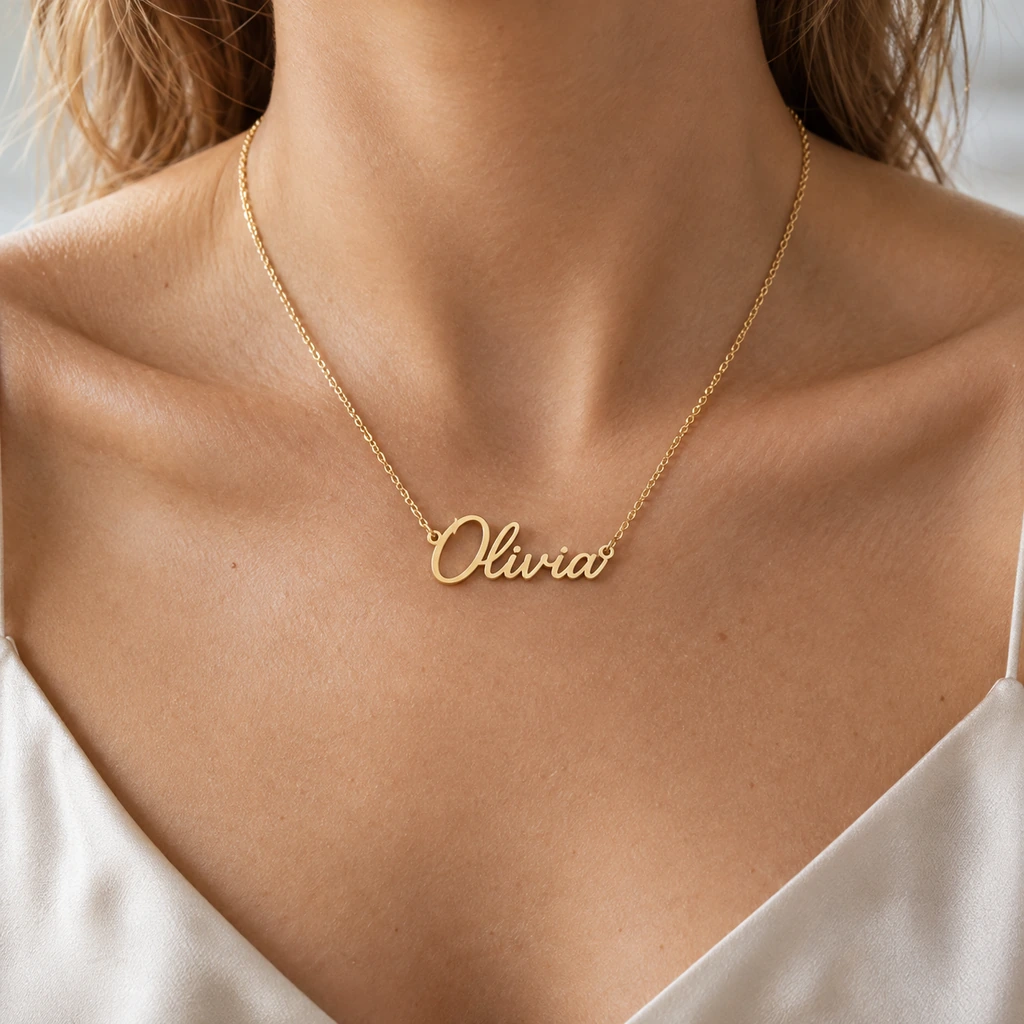
Allow letters only if your design can’t cut numbers or symbols. Put an example in the box, like “Olivia”, so shoppers see the shape of the answer you expect.
Catch the typo before you cut
A typo in a nameplate is a remake at your cost: the metal, the cutting time and the shipping, twice. It is also a disappointed customer on a gift that was meant for a date.
Show the name back to the shopper and ask them to confirm the spelling before Add to cart. One tick costs them a second and saves you the remake.
Price the chain by metal
Longer chains cost more, and more in gold. The template prices the chain by metal:
| Metal | 18 in | 20 in |
|---|---|---|
| Gold | +$15.00 | +$30.00 |
| Rose gold | +$10.00 | +$20.00 |
| Silver | +$5.00 | +$10.00 |
16 in comes at the base price. These are example prices; set your own. Show the price on each length button, so the shopper sees it change when they switch metal.
Set a default length
A default saves a tap and sets expectations. The template selects 18 in. Pick the length you would recommend to most shoppers, and show where each length sits on a neck, in a photo or a short line, so nobody has to guess what 16 in looks like.
Add a gift option
Most name necklaces are gifts. A gift option earns its place: our gift template offers gift wrap for +$4.00, which then shows the wrapping paper, and a separate gift message box that appears only when the shopper asks for it. Neither gets in the way of a shopper buying for themselves.
Built for the phone
Most shoppers will fill this in on a phone. Keep the metal swatches big enough to tap, the name box short and clear, and the chain prices on the buttons themselves, not in a line of small print. Test the whole page with one thumb before you call it done.
Require the name, at checkout too
Shoppers who tap an express checkout button go straight to payment. Shopify’s Cart and Checkout Validation function checks the cart there too, Shop Pay included, so no order arrives without a name.
Say when it ships
Name necklaces are made to order, so the shopper waits longer than for a stock item. Say how long making takes, right on the product page. If the shopper picks a date, such as a delivery date for a birthday, set the earliest date you can meet, so the field can’t promise what you can’t do.
Photos that sell the name
Show a finished piece with a real-looking name, in each metal, and one photo on a person so the shopper can judge the size. If the name is the product, it should be readable in the first photo.
What the workshop should see
Each order should read like a job ticket: metal, the name exactly as typed, chain length and any add-ons. Keep the labels short and the same on every product, so the bench never has to guess.
See the whole setup on a store page: name jewelry.
After the order
Check that your order confirmation email shows the name exactly as typed. A shopper who spots a typo there can reply within minutes, before anything is cut. Keep a short window for changes and say what it is.
The same setup for other jewelry
The pattern carries over. An initial pendant asks for the finish and the letter, and “Engrave the back” for +$8.00 opens a field for the back. A coordinates bracelet asks for the front text, and engraving both sides (+$8.00) opens the back. A ring asks for the size, and “Engrave the inside” opens a message of up to 16 characters.
Questions merchants ask
Should the metal be a variant or a field?
If you stock blanks per metal and track inventory, make it a variant. If you make to order, a field keeps the product simple.
How many letters should a name necklace allow?
As many as your nameplate fits. The template allows 10.
How do I stop typos?
Limit the characters, allow letters only if that’s what you can cut, and ask the shopper to confirm the spelling before Add to cart.
Can I charge more for longer chains?
Yes. Put a price on each length, and let it depend on the metal if gold costs you more than silver.
Do I need a live preview of the necklace?
It helps, but it isn’t required. A clear photo of a finished piece, a character limit and a spelling check prevent most mistakes.
Should I offer gift wrap?
If most of your necklaces are bought as gifts, yes. Price it, and show the wrapping paper only when the shopper asks for wrap.